Safety & Guardrails
The Agentic Layer includes an enterprise-grade safety engine to prevent hallucination-driven outages and accidental fleet destruction.
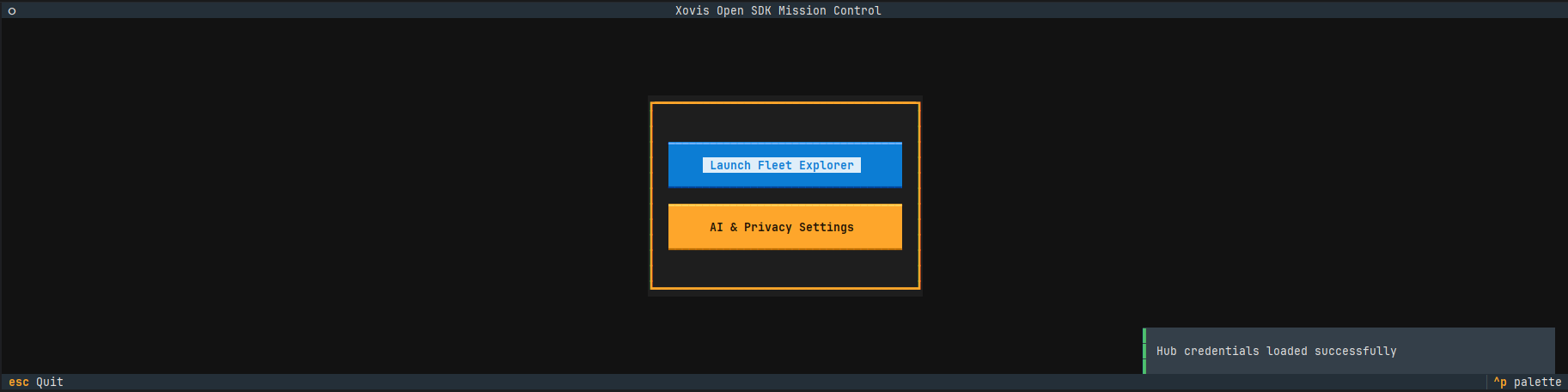 Figure: Mission Control with AI Safety and Fleet Explorer.
Safety Levels
Every tool is assigned a SafetyLevel (OPEN, RESTRICTED, CRITICAL, BLOCKED).
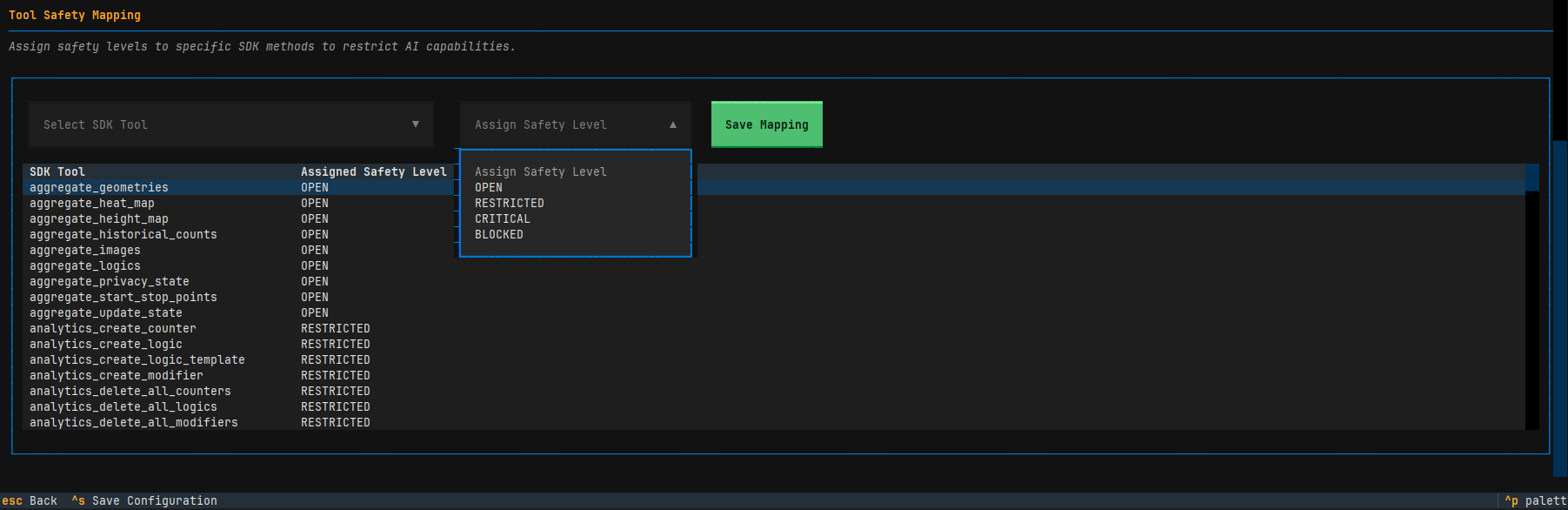 Figure: AI Tool Safety configuration in the Xovis Open SDK Mission Control.
OPEN: Read-only observation tools (e.g.,get_system_info,get_topology_graph,aggregate_geometries).RESTRICTED: Operations causing temporary disruption (e.g.,reboot_device,delete_all_geometries). Enforces a warning and programmatic delay.CRITICAL: Destructive operations (e.g.,factory_reset,update_network_settings,clear_sensor_db). Requires explicit Human-in-the-Loop (HITL) confirmation.BLOCKED: Hardcoded forbidden endpoints (e.g.,flash_format,reboot_rescue) to prevent hardware damage.
Enterprise Safety Policy
- Hardcoded Overrides: Implements hardcoded overrides for high-risk operations, ensuring safety logic is robust against dynamic discovery heuristics.
- AI Privacy Engine: A stateful, two-way pseudonymization system via
AIPrivacySession. It replaces sensitive identifiers (MAC addresses, Customer names) with session-bound hashes (e.g.,Id_a1b2c3d4). The AI only ever sees and interacts with these hashes, and the toolkit "restores" the real values only at the moment of execution. This ensures zero-trust data handling. - Adaptive Pacing: Intra-context aggregation loops automatically inject delays (1.0s for Cloud, 0.2s for LAN) to prevent Cloud HUB WAF triggers and sensor OOM crashes. Aggregation loops iterating over
active_contextsvia aHubClientMUST include anasyncio.sleep(1.0)delay after each request.
AI Safety TUI
Users can configure granular field-level privacy (HASH/BLOCK/ALLOW) and persistent tool-to-safety mappings via the built-in management screen.
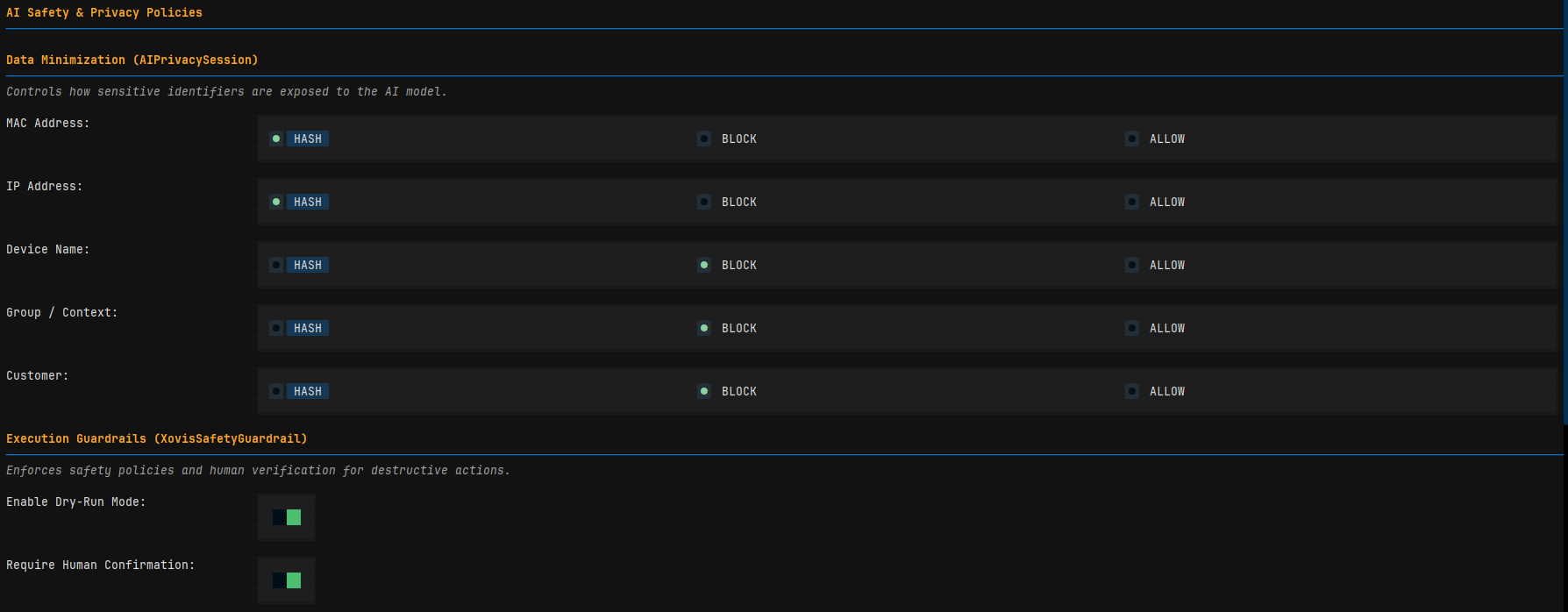 Figure: AI Privacy and Execution Guardrail management screen.
WAF & Privacy Blocks (HTTP 403)
The toolkit intelligently detects HTTP 403 Forbidden errors that return raw HTML. These are reported as access restrictions by the Xovis HUB Web Application Firewall (WAF) or Edge Privacy Mode, preventing the agent from hallucinating data.
Agent Reporting Rule
If an agent encounters an HTML 403 error, it must explicitly document: "Access Restricted: Cloud Proxy Firewall or Strict Privacy Mode is blocking data extraction."
Additional Safety Controls
- Strict Concurrency Limits: Enforces a 350-device threshold for high-intensity fleet state operations (State Buckets / Deep Dives) to prevent hardware-side rate-limiting.
- Mandatory Confirmation: High-impact operations (e.g.,
reboot_fleet) require an explicitconfirmation=Trueargument from the LLM. - Execution Quotas: Limits the number of
CRITICALoperations allowed per session (default: 3). - Dynamic Restricted Tools: Allows users to manually elevate ANY tool to
CRITICALorBLOCKEDstatus via therestricted_toolsdictionary. - Dry Run Mode: Allows for safe agent training by intercepting and simulating hardware-modifying commands.
AI Scope (Fleet Whitelist)
Autonomous agents can be further restricted by whitelisting specific sensors in the Fleet Explorer. Using the ctrl+a (Toggle AI Scope) shortcut, you can define exactly which devices are visible and accessible to the AI. This whitelist serves as a Security Boundary, ensuring the agent cannot reason about or interact with hardware outside its authorized scope.
While this whitelist enforces Security, the same interface is used for Functional configuration including device discovery, bucket creation, and topology detection. For details on these technical capabilities, see the Mission Control TUI documentation.
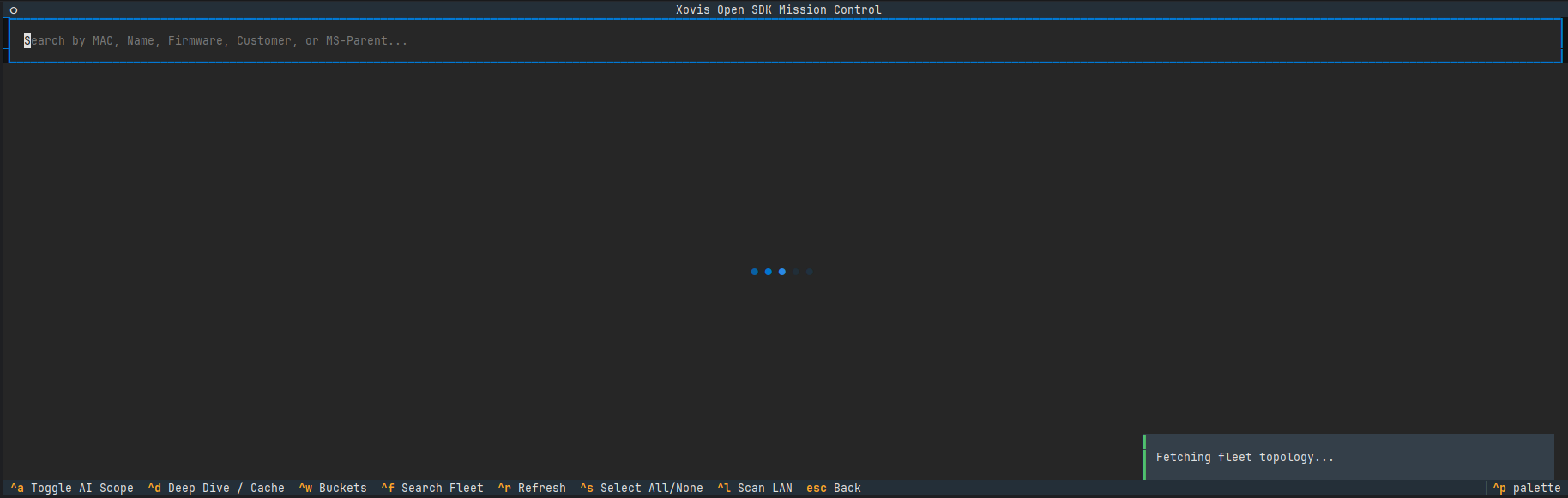 Figure: Visual indicators for devices within the AI Scope.
Implementation Examples
Dynamic Safety & Blocking
from xovis.skills.toolkit import XovisAIToolkit, XovisSafetyGuardrail, SafetyLevel

# Elevate an OPEN tool to CRITICAL and Hard-Block a destructive tool
guardrail = XovisSafetyGuardrail(
    restricted_tools={
        "get_system_info": SafetyLevel.CRITICAL,
        "factory_reset": SafetyLevel.BLOCKED
    }
)

# 1. get_system_info now MUST provide confirmation=True
# 2. factory_reset is now impossible for the agent to call
toolkit = XovisAIToolkit(client, guardrail=guardrail)
Dynamic Adapter Registration
from xovis.skills.toolkit import XovisAIToolkit

toolkit = XovisAIToolkit(client)

# 1. Retrieve pre-registered, lazy-loaded LangChain tools dynamically
langchain_tools = toolkit.get_tools("langchain")

# 2. Register a custom third-party framework adapter (e.g., LlamaIndex)
def llamaindex_adapter(tk: XovisAIToolkit):
    # Convert toolkit._tools_map to LlamaIndex-native ToolSpec objects
    return [convert_to_llamaindex(name, config) for name, config in tk._tools_map.items()]

toolkit.register_adapter("llamaindex", llamaindex_adapter)

# 3. Retrieve custom tools dynamically
llamaindex_tools = toolkit.get_tools("llamaindex")
Standards & Compliance
- Pydantic V2 Validation: Every skill utilizes strict schema enforcement. Malformed LLM payloads are intercepted and rejected before they reach the hardware.
- Zero-Inline-Comment, Max-Docstring: Adheres to the SDK's enterprise documentation standard. Architectural intent and Pydantic constraints are formalized exclusively through rigorous Google-style docstrings.
- Asynchronous Excellence: All tools are natively non-blocking, ensuring compatibility with the high-throughput
uvloopevent loop used in the Data Plane.
Note
For edge-level resource management (Zones, Lines, Logics), refer to the xovis.api.device.resources documentation.